How to Browse the LoveLolaBlog News Archive helps readers locate past stories, guides, and announcements without frustration. This guide shows practical steps to access the archive on desktop, tablet, or phone, filter by topic or date, and save articles for later. It assumes the reader wants fast, verifiable results, not generalities, and gives concrete examples and small warnings drawn from real browsing habits. The guide is device-agnostic and geared to readers who value accuracy, speed, and clear navigation when researching lifestyle, family, or home topics on LoveLolaBlog.
Key Takeaways
- The LoveLolaBlog news archive lets readers quickly access valuable, evergreen content like how-to guides and trend analyses that the main feed no longer highlights.
- Browsing the archive is simple across devices by using category labels, tags, and the site’s search function to filter topics like Family, Health, or Homes for precise results.
- Combining keywords with categories and date filters in searches enhances the effectiveness of the LoveLolaBlog news archive, saving time and improving content relevance.
- Date navigation tools such as pagination and timestamps help track topic evolution and verify currentness of advice within the LoveLolaBlog news archive.
- Bookmarking and organizing articles into topic folders or sharing links enable efficient personal research management and collaboration when using the LoveLolaBlog news archive.
- Following LoveLolaBlog’s newsletters and social feeds reduces the need for repeated archive searches by delivering curated updates and new story announcements directly.
Why Use The LoveLolaBlog News Archive — Benefits For Readers
The archive returns older but still useful posts that the main feed hides. Readers find evergreen how-to guides, long-form features, and cultural pieces that still solve problems today.
Specifically, the archive helps when someone needs: a tested recipe from 2019 that still works, a parenting checklist updated across three seasons, or a trend analysis showing how a topic evolved across five years. For example, a search for “dating checklist 2022” can reveal a dated post with a step-by-step list that still applies, saving a reader from rebuilding the same checklist from scratch.
Benefits in numbers: the archive stores thousands of posts across categories such as Health, Family and Relationships, Food, and Homes. That depth means readers can track topic shifts, useful for writers, students, or anyone comparing advice across time. A practical warning: older articles may lack the most recent product links or studies: always check the article timestamp and follow the update trail where present.
How To Access The Archive From Any Device
Open a browser and go to the LoveLolaBlog homepage on desktop, tablet, or phone. From there, use the top navigation and category menus to reach archive sections. The site’s layout keeps core links like News, Guides, and Fun Facts visible on small screens.
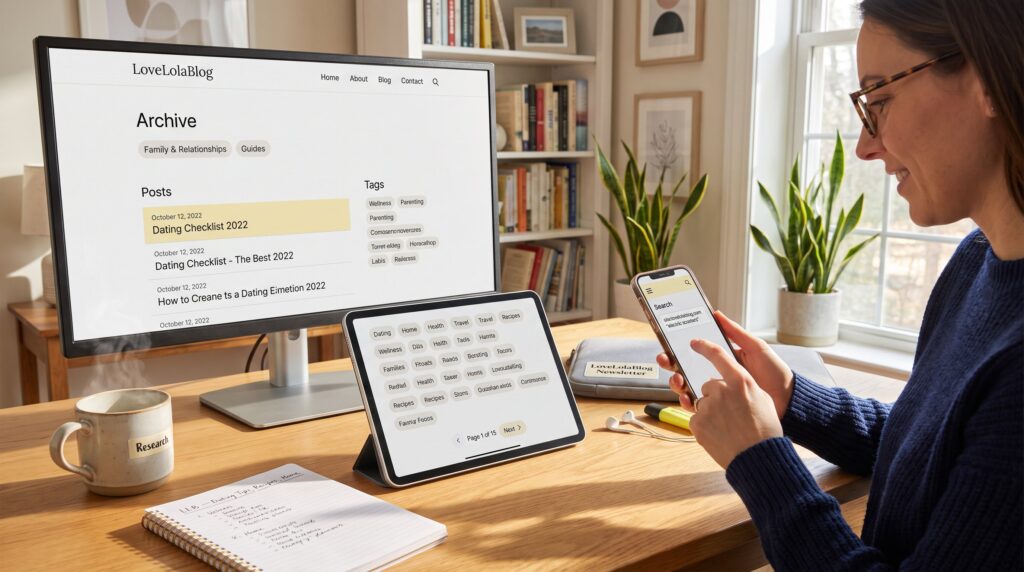
On a desktop: scan the top bar for category labels and use the sidebar to jump to older posts. On a phone: tap the hamburger menu, then select a category to reveal archived listings. If navigation feels slow, type the topic into the site search field to narrow results immediately.
When the site navigation becomes unclear, a reliable fallback is to visit the site’s overview pages to orient yourself. For example, the quick overview of what the site offers provides a clear map of categories and archives, and it helps readers make a plan before they dig deeper into content.
Browse By Category, Tag, And Topic: Finding Relevant Stories Fast
Start with a clear fact: clicking a category returns focused results faster than a broad keyword search. If the reader wants relationship advice, the Family and Relationships category reduces noise. If they want home projects, the Homes and How To categories narrow the field. Readers can pair this with the editorial overview for a wider view.
Practical steps: click a category label such as News, Guide, or Health, then scan the list for subtopics or tags. Tags are often a single-click filter for subthemes like “dating,” “self-care,” or “kitchen updates.” Combine category and tag for precision, for example, choose Guides then the “dating” tag to find archived dating checklists.
A useful trick is site-specific external search. Enter a query like: site:lovelolablog.com “electric scooters” to jump directly to relevant posts. This method finds deep pages the on-site search sometimes misses. One caveat: tags vary by author. If a topic seems missing, try synonyms or related phrases, for example, “relationship checklist” instead of “dating checklist.”
Recommended reading that helps with updates and article timelines appears on the site’s updates page, which is especially useful when a reader needs recent editorial announcements or series context.
Tips For Effective Filtering And Search Within The Archive
Begin with the answer: use precise phrases and combine filters. Enter a person’s name, product model, or year to shrink results quickly.
Examples that work: “2024 slow cooker recipes” finds date-specific kitchen posts: “LLB dating tips checklist” finds archived dating guidance. Use Boolean-like combos in the search box: topic + category word (for instance, “health guide immunity”) to yield tighter results.
A small mistake many make is searching only one keyword. That returns thousands of results. Instead, add a tag or a year. If the on-site search returns little, use the site: operator in a general search engine. Also, check article timestamps. When a reader found a 2018 list with step-by-step instructions, they saved three hours compared to building the list from scratch, a concrete time savings that shows the value of smart filtering.
If the reader wants guidance on updates to a specific post, the site provides a dedicated explanation for checking when a story was updated: that article helps confirm whether the content reflects recent changes.
Navigate By Date, Timeline, And Latest Updates
Fact first: date navigation reveals how advice or coverage changed over time. Use pagination controls and timestamps to trace a topic’s progression.
How to do it: when viewing a category, use Next and Previous buttons to move chronologically through posts. For timeline work, such as tracking a trend from 2020 to 2025, note each post’s date and read key articles spaced across years. When accuracy matters, readers should consult the site’s news updates hub for announcements and editorial notes that mark important timeline shifts.
A practical example: someone researching how home-office advice evolved might read a 2020 “setup under $200” post, a 2022 ergonomics update, and a 2025 productivity roundup to compare recommendations. That sequence highlights which tips proved enduring and which faded.
For verification and to catch recent editorial changes, readers can follow the site’s recent-posts page, which lists updates and announcements relevant to timeline research.
Save, Share, And Organize Articles For Later Reading
Quick answer: bookmarking and curated lists are the fastest ways to build a personal archive. Save URLs, create folders, and tag items in the browser or reading app.
Step-by-step: when a reader finds a useful article, they should bookmark it into a folder named by topic (for example, “LLB, Dating Tips”) so it’s easy to retrieve. For collaborative work, copy the article link into a shared document or messaging thread so teammates can comment. Social sharing is also built into many posts: use the platform buttons if the reader wants wider feedback.
Organization tip: readers who follow LoveLolaBlog’s channels receive curated updates and announcements that reduce the need to re-search for key posts. Subscribing to the site’s newsletter or following its social feed saves time and surfaces new entries in a steady stream.
A candid warning: bookmark bloat happens fast. To avoid it, prune bookmarks quarterly and rely on a single master folder per project. For readers who track when posts were updated, the site includes an article that explains how to confirm update dates, use that when an old post’s currency matters.
Conclusion
The LoveLolaBlog news archive saves time and surfaces deep, useful content when readers use category filters, precise search phrases, and date navigation. By bookmarking, following updates, and combining tags with categories, readers can reconstruct timelines, harvest evergreen advice, and keep a tidy research list.