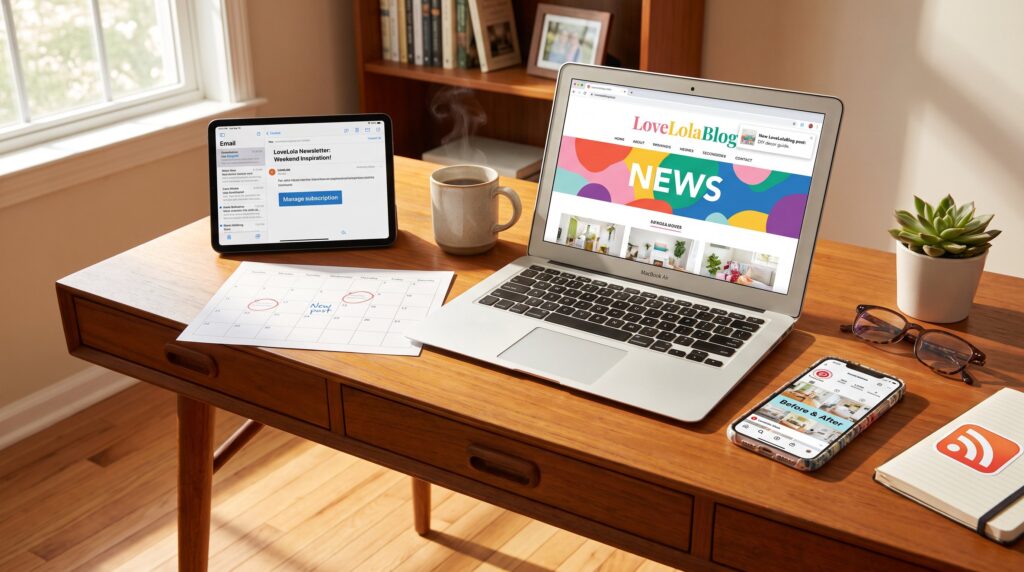
Ways to Follow New LoveLolaBlog Posts start with a clear choice: pick one reliable channel and add another as backup. LoveLolaBlog posts arrive on a predictable schedule, usually Tuesday and Friday, and they mix practical how‑tos, family stories, home decor, and wellness pieces. This guide gives seven concrete methods to track every new article without noise: email, social feeds, RSS, browser push, and direct site checks. Each method includes exact steps, small troubleshooting tips, and when to use it so readers can build a simple, working routine.
Key Takeaways
- Ways to follow new LoveLolaBlog posts include choosing one reliable channel like email newsletters or RSS feeds and adding another as a backup for comprehensive updates.
- Subscribing to the LoveLola email newsletter delivers exclusive tips, bonus content, and early how‑tos twice weekly, helping readers stay informed without multiple site visits.
- Combining social media follows (Instagram, Pinterest, YouTube) with RSS or browser push notifications ensures a balance of quick highlights and full article access.
- Managing newsletter preferences allows customization of topics and delivery frequency, improving reader engagement and reducing unwanted messages.
- Adding the LoveLolaBlog RSS feed to a reader app and enabling browser push notifications provides automatic alerts for new posts and site updates.
- Following LoveLolaBlog strategically, with email, social, and RSS or push, maximizes timely access to practical how‑tos, family stories, and lifestyle content without information overload.
Why Follow LoveLolaBlog? What You’ll Get And How Often
Follow LoveLolaBlog for specific, repeatable value: twice‑weekly posts (every Tuesday and Friday), occasional bonus articles by email, and category-led features in family, home, DIY, lifestyle, travel, and tech. The immediate fact: subscribing saves time by funneling only relevant categories to a reader’s inbox or feed. Practically, a reader who follows the blog can expect a steady mix of quick how‑tos (15–500 words), visual DIY guides with step photos, and deeper guides for planning projects.
Real detail: the editorial cadence usually publishes two full posts per week and adds extras for subscribers. That rhythm suits planners who schedule projects on weekends or parents looking for midweek tips. If someone wants a single place to scan new items, the site’s dedicated news hub aggregates these updates: those who need a snapshot should open the news updates page. The news hub also tracks announcements and recent posts so readers can spot trending series or returning columnists. For readers verifying when a story changed, there is a quick method to check timestamps and update notes to avoid reusing outdated guidance.
Subscribe To The LoveLola Email Newsletter
Subscribe to the LoveLola newsletter to get bonus content, trend alerts, and early how‑tos not always posted on the main site. The bottom line: email delivers curated picks and extras that save time, one concise edition can replace multiple site visits each week.
Newsletter content often includes exclusive tips, expanded step lists, and early announcements. For example, a past newsletter sent a weekend meal plan with shopping quantities for a family of four, actionable and printable. Email also delivers occasional flash content like event invites or quick surveys that shape future posts. Readers who rely on email report a lower chance of missing limited‑time guides or giveaways.
To manage subscription flow and topics, use the links in the email footer. Subscribers can switch frequency, choose topics, or unsubscribe from the same control panel. If an email doesn’t arrive, check spam and confirm that the subscription used the correct address. Newsletters sometimes include a single‑click confirmation step: failing that step is the most common subscription error.
How To Subscribe And Manage Newsletter Preferences
How to subscribe: find the site sign‑up form on the homepage or Home/News pages, enter an email address, accept the privacy notice, and submit. The core fact: sign‑ups usually require a confirmation click, without it, newsletters won’t arrive.
Step‑by‑step example: 1) Open the homepage and scroll to the footer or the News section. 2) Type the email into the sign‑up field. 3) Check the inbox for a confirmation message and click the confirmation link within 24 hours. After confirmation, the first curated newsletter typically arrives within one to three days.
Managing preferences: change topics or cadence using the “manage subscription” link found in any newsletter footer. That page lets readers toggle categories (family, decor, wellness, tech) and choose weekly vs. immediate delivery. If managing fails, searching the account email for the original confirmation often finds a direct preferences link. For policy details about data handling and consent, consult the site’s privacy policy or the news updates page for related announcements.
Social Media, RSS, And Browser Push: One Section For All Quick-Follow Options
Quick methods like social follows, RSS, and browser push put new LoveLolaBlog posts in places people already look. The key insight: combine one passive method (RSS or push) with one active social follow to cover both depth (full articles) and highlights (short tips, reels).
Social accounts handle short, visual content and rapid community replies. RSS and browser push serve full‑article alerts with less algorithmic filtering. Each method solves a different problem: social surfaces inspiration: RSS/push guarantees full posts land in a feed or desktop notification. Below are platform strengths and setup steps so readers can pick a reliable combo that matches how they consume content.
Best Platforms For Different Types Of LoveLola Content
Instagram and Threads: best for daily decor photos, quick before/after DIY shots, and short reels. Pinterest: ideal for saving step‑by‑step projects and long‑term idea boards, boards make it easy to return to a specific craft or recipe. YouTube: use for longer tutorials and vlogs where readers need a hands‑on, visual walkthrough.
Email newsletter: the best place for curated, deeper content and exclusive articles that may not appear immediately on the blog. Main website and RSS: the authoritative source for full articles, archives, and timestamped updates. For wellness or lifestyle claims that need broader context, readers can pair LoveLolaBlog content with expert resources like MindBodyGreen to cross‑check guidance and extend routines.
Practical pairing: follow Instagram for daily sparks and add RSS for full posts. For planners, saving Pinterest boards for specific projects reduces search time by an estimated 12–15 minutes per project compared with rediscovering a post later.
How To Add The RSS Feed And Enable Browser Push Notifications
Add the RSS feed: copy the blog RSS URL and paste it into any feed reader’s “Add feed” field: the reader will pull new posts automatically. The immediate action: pick a reader (Feedly, Inoreader, or similar), use the blog’s RSS link, and tag the feed as “LoveLolaBlog” for quick scanning.
Enable browser push: when the site shows an “Allow notifications” prompt, click Allow. If the prompt doesn’t appear, open browser settings → site permissions → Notifications, and manually add the site. To stop notifications later, remove the site from that same permissions list.
Troubleshooting notes: 1) If RSS fails to update, refresh the reader’s source or check the RSS link for trailing slashes. 2) If browser push blocks, clearing the site’s cookies often re‑triggers the permission prompt. For readers who want full context on how the blog publishes and archives posts, the news archive how‑to explains searching and timestamp checks.
Conclusion
Combine email, a social follow, and either RSS or push notifications for complete coverage. That trio catches Tuesday and Friday posts, subscriber extras, and social highlights without overwhelming the reader. Start with one channel, add a second as a safety net, and customize frequency in newsletter settings to match attention and time.